Modern applications typically consist of numerous containers spread across multiple servers, making manual management increasingly difficult as these applications grow. Kubernetes orchestration solves this problem by automating the processes of deploying, scaling, networking, and recovering containers. In this guide, you will learn what Kubernetes orchestration is, how Kubernetes works, and the step-by-step process for setting up a production-ready Kubernetes environment.
What is Kubernetes?
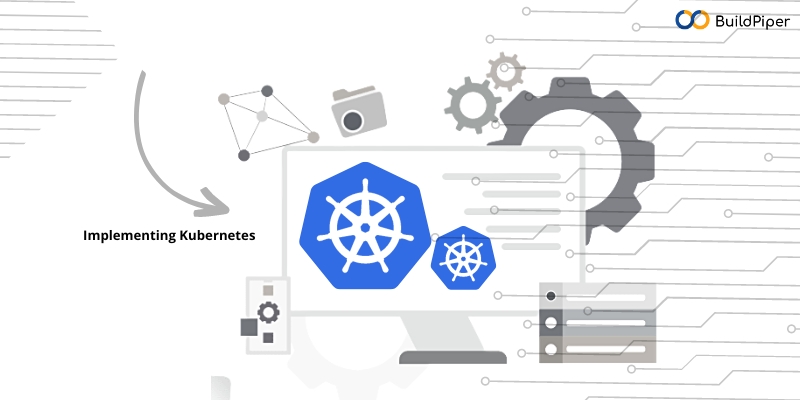
Kubernetes is an open-source container orchestration platform that automates the deployment, scaling and management of containerized applications. At its core, Kubernetes provides a framework for managing and coordinating containerized workloads across a cluster of nodes. Containers are lightweight, isolated environments that encapsulate applications and their dependencies. This makes them portable and consistent across different computing environments. Kubernetes acts as a control plane that handles the scheduling and distribution of containers, ensuring that applications run efficiently and reliably.
Key Features of Kubernetes
Kubernetes offers a wide range of features to simplify the management and scaling of containerized applications. Here are some key features of Kubernetes:
- Orchestration: Kubernetes automates the deployment and scaling of containerized applications, allowing them to run seamlessly across a cluster of nodes. It ensures that the desired number of containers are running and handles scaling based on demand. It also manages load balancing for efficient distribution of traffic.
- Service Discovery and Load Balancing: Kubernetes provides a built-in service discovery mechanism. This allows Kubernetes containers to communicate with each other using DNS (Domain Name System) or environment variables. It also includes a load balancer that distributes incoming network traffic to available containers. This ensures high availability and optimal resource utilization.
- Self-Healing and Auto Scaling: Kubernetes monitors the health of containers and automatically restarts or replaces any containers that fail. It can also automatically scale the number of containers based on metrics such as CPU utilization or incoming traffic. This helps to ensure that applications have the necessary resources to handle increased demand.
- Storage Orchestration: Kubernetes provides a flexible storage orchestration framework, allowing containers to mount storage volumes and access them across different nodes. It supports various storage solutions, including local storage, network-attached storage (NAS) and cloud-based storage.
- Rolling Updates and Rollbacks: Kubernetes supports seamless rolling updates, allowing applications to be updated without any downtime. It can gradually deploy new versions of Kubernetes containers while phasing out the old ones. In case of issues or failures, Kubernetes also enables quick rollbacks to a previous working version.
- Extensibility and Ecosystem: Kubernetes architecture is highly extensible and offers a rich ecosystem of plugins and extensions. It provides a robust API that allows developers to integrate and extend its functionalities according to their specific requirements.
Kubernetes has become the de facto standard for container orchestration in the cloud-native ecosystem. It simplifies the management of complex containerized applications, enhances scalability and improves resilience & automation. By abstracting away infrastructure complexities, Kubernetes empowers developers to focus on application logic and deliver applications more efficiently.
[Good Read: 3 Best Tools To Implement Kubernetes Observability!]
Why Enterprises Choose a Kubernetes Platform Instead of Managing Kubernetes Directly
As the adoption of Kubernetes grows within engineering organizations, managing hundreds of microservices across multiple clusters rapidly shifts from being an infrastructure challenge to an operational one. Enterprise platform teams are rapidly evaluating Kubernetes platforms that can standardize deployments across development teams, simplify release management, enforce governance and reduce operational complexity. Instead of expecting every developer to become a Kubernetes expert, organizations seek platforms that offer features such as self-service deployment, standard delivery workflows, centralized policy management, release approvals, environment promotion, and real-time deployment visibility. BuildPiper helps engineering teams simplify Kubernetes operations. It provides a unified application delivery platform that standardizes deployments, automates release workflows, and enables developers to deploy with confidence, even without deep Kubernetes expertise.
What is Kubernetes Orchestration?
Kubernetes orchestration automates the deployment, management, scaling, networking, and monitoring of containerized applications across a cluster of servers. This means that instead of manually starting, stopping, or updating containers, Kubernetes continuously ensures that applications remain in their desired state with minimal human intervention.
As applications evolve, they may consist of numerous containers spread across multiple nodes. Managing these containers manually can quickly become complex and error-prone. This is where Kubernetes orchestration comes into play. It simplifies management by automatically scheduling containers, balancing workloads, replacing failed instances, and scaling resources according to application needs.
For example, if traffic to an application suddenly spikes, Kubernetes can automatically launch additional container instances to handle the increased load. If a container crashes or a server goes down, Kubernetes detects the failure and immediately replaces the affected container to keep the application running. This ‘self-healing’ feature is crucial for ensuring high uptime and reliable performance for production workloads.
What Does Kubernetes Orchestration Do?
Kubernetes orchestration offers a streamlined approach to managing your applications with a focus on clarity, consistency, and automation. Essentially, it allows you to:
- Specify the state you want for your applications through configuration.
- Simplify the complexities of underlying infrastructure, like processing power, networking, and storage.
- Ensure that what’s happening in reality matches what you’ve defined as your desired state.
- Automatically handle failures, scaling needs, and various changes.
For instance, if a container goes down, Kubernetes will restart it. If a node becomes unresponsive, it will redistribute the workloads to other nodes. When demand surges, it can automatically scale up the replicas as needed.
This is what orchestration is all about: standardized and flexible automation that caters to the complex and ever-changing landscape of applications.
Kubernetes operates through a control plane that continuously oversees the cluster and maintains the desired state by utilizing:
- Schedulers to allocate workloads to the right nodes.
- Controllers to ensure that the actual setup aligns with your configuration.
- Health checks and monitoring probes to identify any issues.
- Rolling update processes that facilitate safe deployments of new versions.
Instead of detailing each individual step for Kubernetes, users simply express what they need, and Kubernetes takes care of the implementation.
How to install Kubernetes?
Installing Kubernetes involves several steps, including setting up a cluster and configuring the necessary components. Here’s a general guide to help you get started with Kubernetes implementation:
1. Choose a deployment method:
- Local Development: For development purposes, you can set up a local Kubernetes cluster using tools like Minikube or Docker Desktop.
- Cloud Providers: Most cloud providers offer managed Kubernetes services, such as Google Kubernetes Engine (GKE), Amazon Elastic Kubernetes Service (EKS), or Microsoft Azure Kubernetes Service (AKS). These services simplify the setup and management of Kubernetes clusters.
2. Set up the cluster:
- Local Development: If you’re using Minikube or Docker Desktop, follow the respective documentation to install and start the cluster.
- Cloud Providers: Follow the documentation provided by your cloud provider to create a Kubernetes cluster. The steps may vary depending on the provider.
3. Install the Kubernetes command-line tool (kubectl):
- Linux: Use the package manager of your distribution, such as ‘apt’ or ‘yum’, to install ‘kubectl’.
- macOS: You can use Homebrew to install ‘kubectl’ by running the command ‘brew install kubectl’.
- Windows: Download the ‘kubectl’ binary from the official Kubernetes release page and add it to your system’s PATH.
4. Configure ‘kubectl’ to connect to your cluster:
- Local Development: If you’re using Minikube, you can run ‘minikube start’ to start the cluster and automatically configure ‘kubectl’.
- Cloud Providers: Follow your cloud provider’s documentation to obtain the necessary credentials and configure ‘kubectl’ accordingly. This typically involves running a command like ‘gcloud container clusters get-credentials’ for GKE.
5. Verify the cluster:
- Run ‘kubectl cluster-info’ to ensure that ‘kubectl’ is properly configured and can communicate with the cluster.
- Run ‘kubectl get nodes’ to check if the cluster nodes are ready and available.
Once you have successfully set up and verified your Kubernetes cluster, you can start deploying applications and managing your workloads using ‘kubectl’ or other Kubernetes management tools. Remember, the specific steps may vary depending on your operating system, the deployment method and the version of Kubernetes you’re installing. It’s always a good practice to refer to the official documentation provided by your chosen deployment method.
Kubernetes is powerful, only if Managed well
By leveraging Kubernetes, organizations can optimize resource utilization, reduce downtime and improve the overall reliability of their applications. Its self-healing capabilities and automated failover mechanisms ensure that applications remain available even in the face of failures or disruptions.
However, managing Kubernetes clusters can be complex and resource-intensive, especially for organizations with limited expertise in containerization and orchestration. Managed Kubernetes platforms such as BuildPiper can help alleviate these challenges by providing a fully managed environment for running Kubernetes clusters. They abstract away the underlying Kubernetes architecture complexities and provide a streamlined user interface to interact with and manage the clusters.
BuildPiper allows you to drive business value across microservices application delivery from Day 1 with a 10X reduction in time & investments needed.
Related Searches
- How Observability Helps Reduce Downtime and Improve User Experience
- Top 3 DevOps Monitoring Strategies
- 5 Best Use cases of DevOps Monitoring