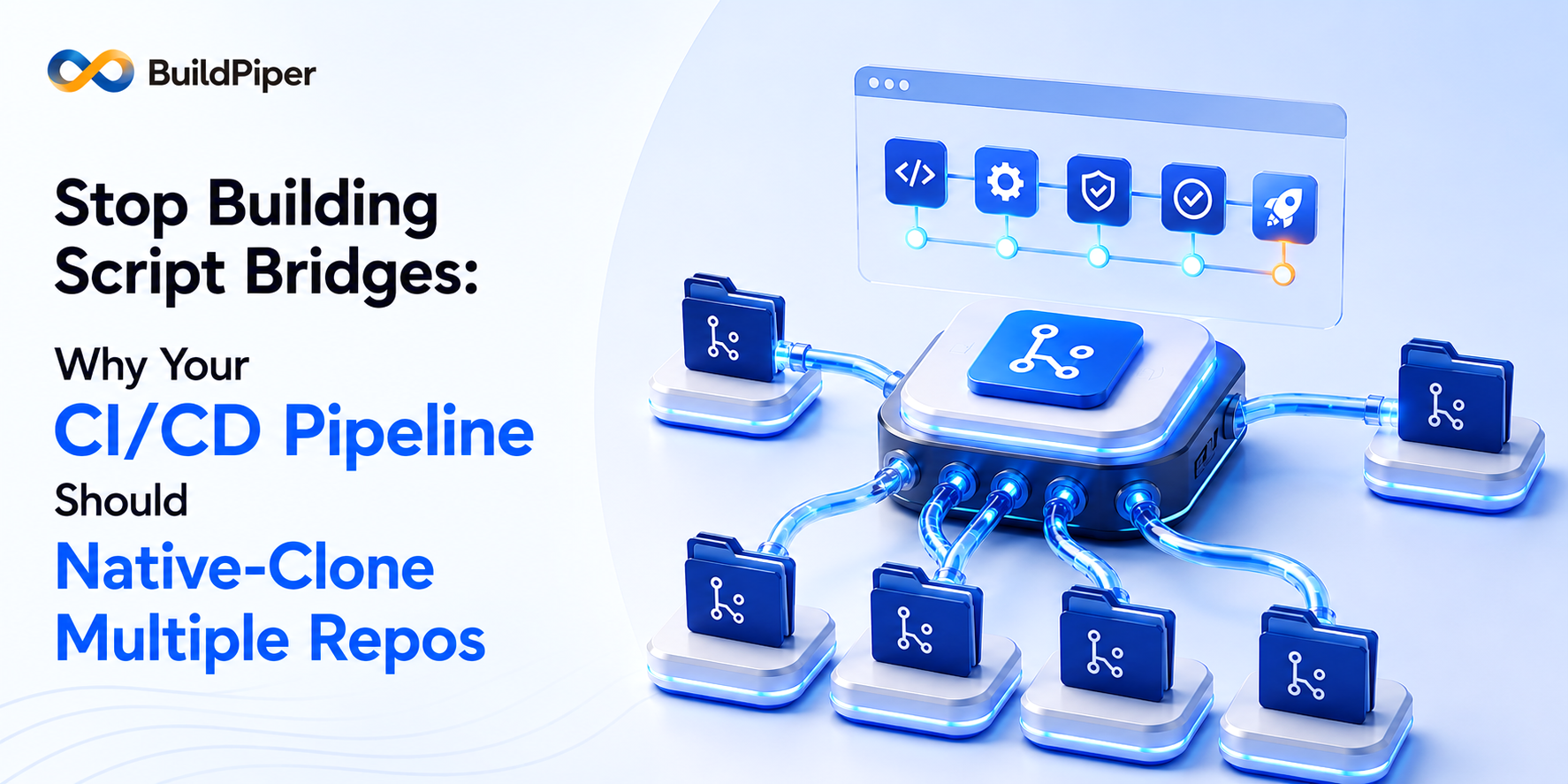
Why your CI/CD pipeline should native-clone multiple repos, instead of relying on script bridges
- Modern, distributed architectures scatter source code, configuration, secrets and shared libraries across many repositories, while most CI/CD tools still assume a single-repo world.
- BuildPiper’s External Repo Clone Support turns multi-repo cloning from a manual “script bridge” into a native, declarative feature: a primary repository plus an unlimited number of supplementary repositories.
- Because cloning happens natively before the build runs, the Docker build context is fully enriched from the start and every dependent build stays current automatically as shared repositories change.
The Complexity Tax of Distributed Repositories
In the idealized early days of DevOps, the single repository was the gold standard, a single place that held the source code, the configuration, and the Docker file together. It was a simpler time. But as modern architectures have matured into distributed microservices, that simplicity has vanished, replaced by a complexity tax that every engineer eventually pays. Today, the code almost never lives in a single place. For the sake of architectural purity, security and team ownership, teams purposefully scatter their assets, application source code in one repository, environment-specific secrets and configuration in another, and shared internal libraries or deployment manifests in a third. While this separation is a win for the organization, it has traditionally been a nightmare for the CI/CD pipeline. Due to this, developers are forced to build brittle script bridges, manual, procedural fetch scripts – just to pull the pieces together before a build can even begin.
BuildPiper’s External Repo Clone Support is designed to reclaim that lost simplicity, turning multi-repo cloning from a manual chore into a native, declarative feature.
The End of the Fetch Script: From Procedural Toil to Declarative Flow
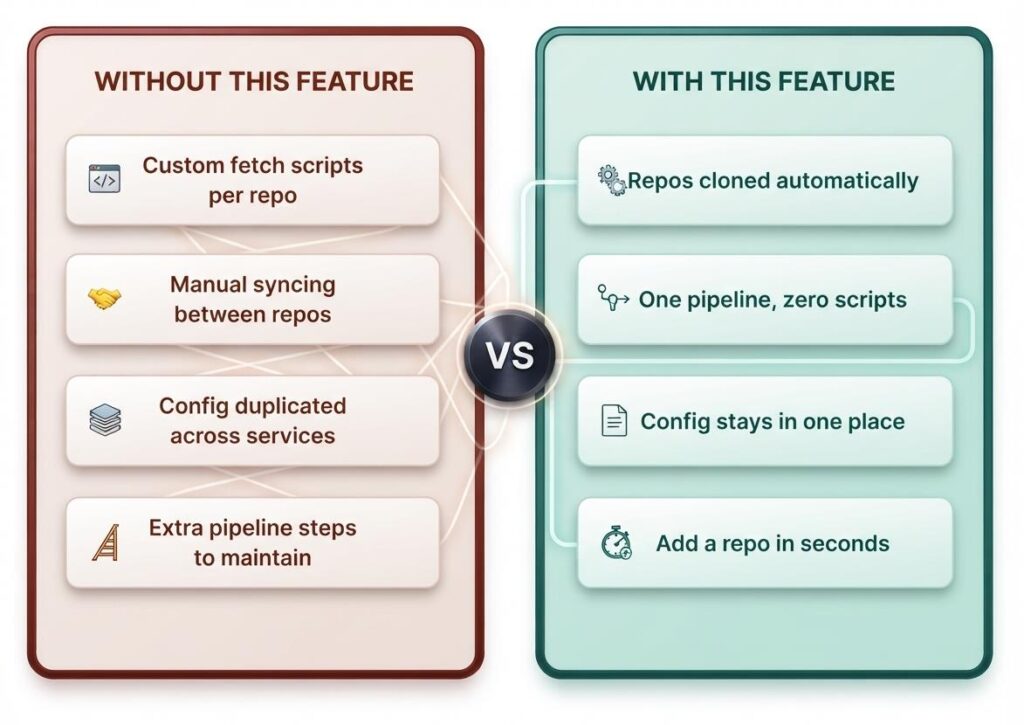
The most immediate friction in a multi-repo setup is the maintenance of fetch scripts, the invisible strings holding a build together, procedural commands that must be debugged and updated every time a repository location moves or a credential change.
The transition is striking when you look at the evolution of a build workflow. In the Before state, a build trigger is followed by a sequence of manual hurdles: a script to fetch the configuration repository, followed by another to pull shared libraries. Each is a potential point of failure. In the After state, this sequence collapses into a single, automated operation, BuildPiper clones every repository, the primary source plus every external supplement, together.
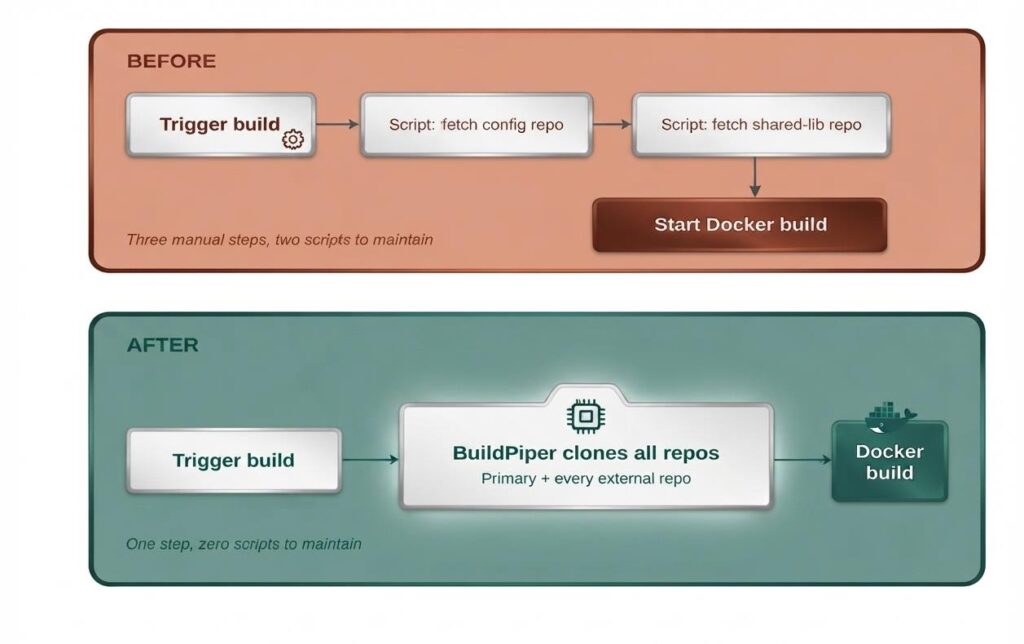
By moving the clone operation into a native configuration entry, the build process stops being a maintenance burden and starts reflecting intent. The clone operation should be a setting, not a script.
The Sovereignty of the Repository: Why Consolidation Is a Trap
Engineering teams are often tempted to consolidate their repositories just to satisfy the limitations of their CI/CD tooling. This is a mistake, architecture should dictate tooling, not the other way around.
Maintaining separate repositories for secrets, environment configuration, and common assets is essential for preserving strict access control and clear ownership. Platform teams, in particular, need to standardize configuration across dozens of services without duplicating those files into every individual service repository.
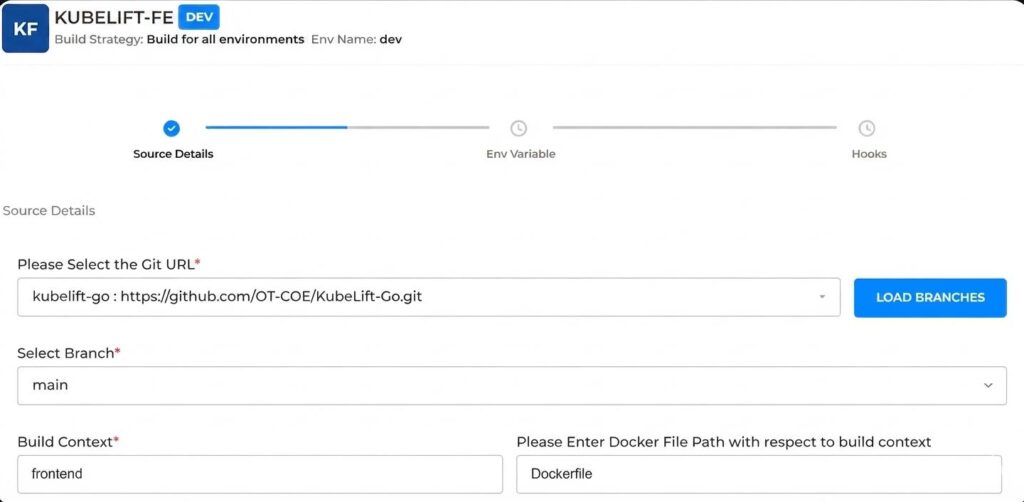
BuildPiper respects this hierarchy. Every build maintains a primary repository, the core codebase that defines the service identity – while allowing for an unlimited number of Supplementary repositories, configured directly from the UI in three steps:
- Configure the Primary repository – Set the Git URL, branch, build context and Docker file path for the main codebase, exactly as with any BuildPiper build.
- Turn on external cloning – In Advance Configurations, switch “Clone configurations from an external source” to Yes. This reveals a list where additional repositories can be added.
- Add each supplementary repository – For each one, select its Git URL and load its branch, then select “+ Add Another” to add as many as needed. There is no upper limit, and any entry can be removed later.
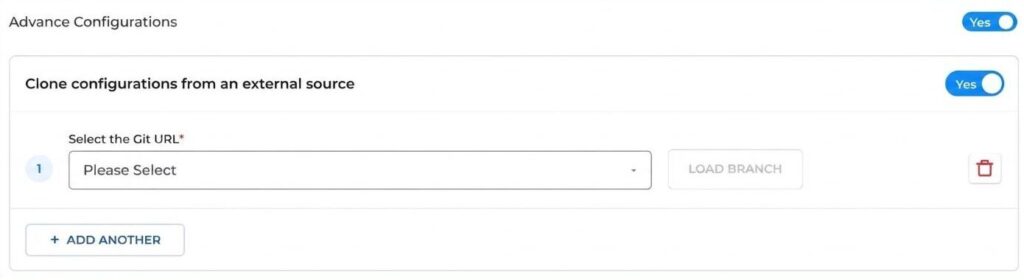
That’s it. Every time the build runs after this, BuildPiper clones the Primary repository plus every Supplementary repository, automatically, with no extra scripts or manual steps. This preserves organizational structure while ensuring the build platform adapts to real-world complexity, rather than an idealized version of it.
Eliminating Drift Through Automatic Freshness
In a multi-repo world, the greatest risk is configuration drift. it occurs when a build uses a stale version of a shared library or an outdated config file because a manual sync was missed or a script failed to pull the latest commit.
BuildPiper eliminates this risk by ensuring shared content remains current by default. Because the clone operation is a native part of every pipeline run, any change made to a shared repository is automatically incorporated into every dependent build on its subsequent run. This creates a single source of truth across the organization, when a platform team updates a global configuration, every pipeline in the ecosystem reflects that change immediately, without manual intervention or glue-code updates.
Scaling to Real-World Complexity
This is not only about convenience – it is about building for the reality of the modern enterprise. This native support is a critical path for:
- Secrets management – Keeping environment-specific secrets in dedicated, highly restricted repositories.
- Internal library standardization – Ensuring common assets and tools are pulled consistently across the entire service map.
- Platform engineering – Enabling central teams to manage organizational standards without forcing individual dev teams to manage the plumbing.
The Bottom Line
As software architectures move toward more modular, distributed models, the build system must be a bridge, not a barrier. BuildPiper ensures builds have exactly what they need, exactly when they need it, automatically.
How much of your team’s sprint capacity is currently being swallowed by maintaining the glue code between your repositories? It might be time to stop building bridges and start building software.
Related Searches
- How to Set up CI/CD Pipeline
- How to Create a Dockerfile?
- How to Build Multiple Images from One CI/CD Trigger Using Secondary Builds
- Top DevSecOps Consulting Companies in India 2026